Build, Deploy & Operate AI Agents in Production.
Powered by Runtime Guardrails.
Create AI agents in minutes, upload your own knowledge, connect your preferred AI provider, generate an API Key, and monitor every execution with built-in-runtime guardrails and observability. See every mission, understand every decision, prevent runaway costs, and confidently operate AI agents at scale.
Built for modern AI agent frameworks
Engineered for Complex AI Architectures
Click through the control panels below to see exactly how AgentPulse tracks and manages live agent missions.
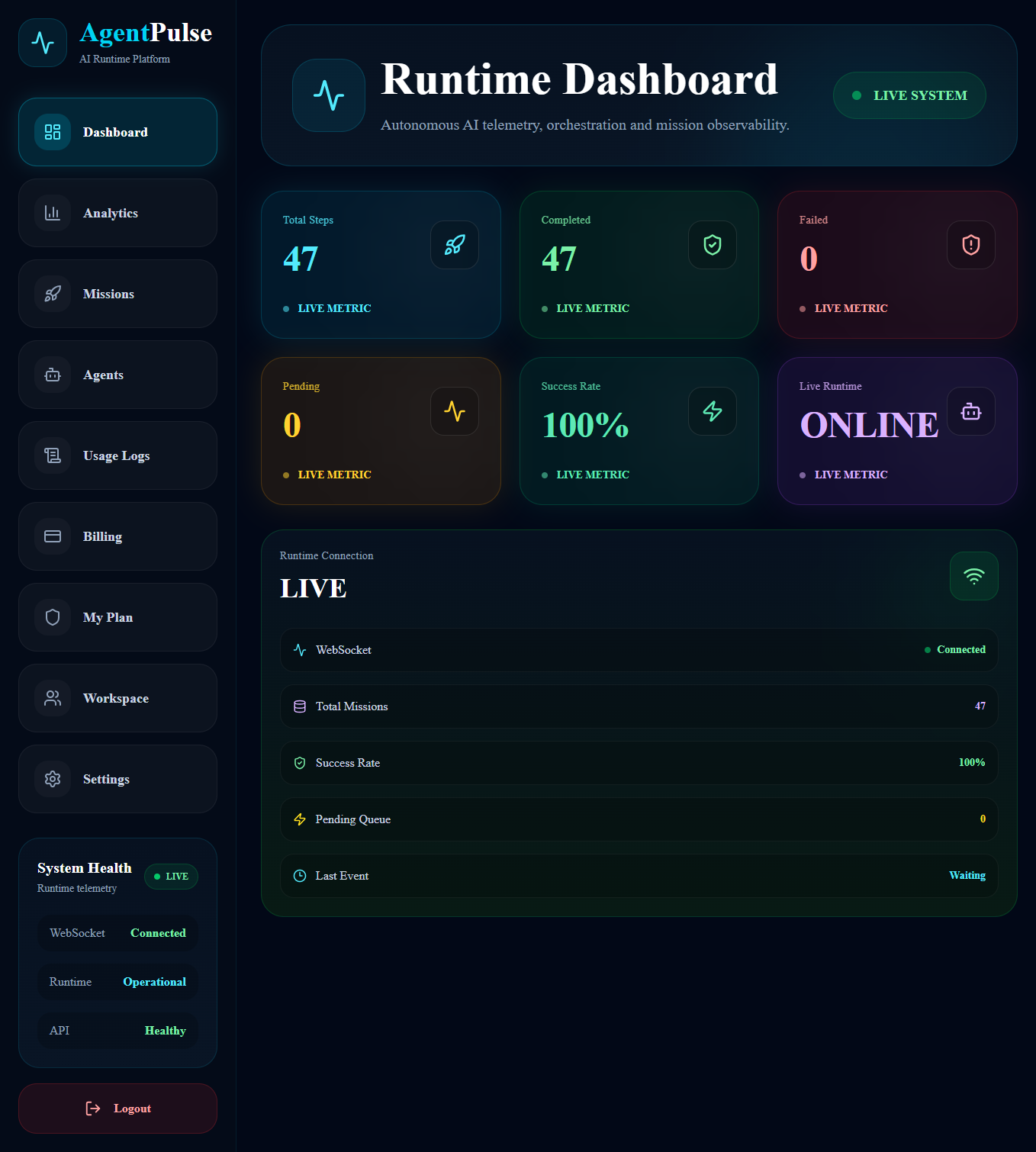
Everything You Need To Run AI Agents In Production
Deep structural diagnostic tools engineered to remove operational uncertainty from live LLM workflow pipelines.
Runtime Observability
Track executions, tool calls, latency, token usage, and failures in real time.
Safe Execution Controls
Prevent infinite loops, runaway agents, and unsafe actions before they become incidents.
Budget Guardrails
Set spend limits, alerts, and automated controls across agents and teams.
Agent Mission Tracking
Follow every mission from start to completion with full execution history.
Audit Logs
Maintain accountability with searchable logs and governance records.
BYOK Support
Use your own OpenAI, Anthropic, Gemini, Groq, or custom provider credentials.
Multi-Agent Monitoring
Monitor workflows involving multiple agents, tools, and orchestration systems.
RAG Attribution Tracing
See exactly which sources influenced every response and decision.
Developer Documentation
Create an agent, copy its API key, configure your AI provider if needed, and follow the examples below to integrate AgentPulse into your application.
Send request using your Agent API Key for authentication.
Platform retrieves configuration, executes the task, and returns a step_id.
Poll the status endpoint until the task is complete, then read output_data.result.
Isolate and securely display the clean response string in your application frontend.
Every incoming request payload requires your unique validation string map to be authorized by the telemetry gateway:
The AI response is returned by AgentPulse through the API. Your application is responsible for displaying that response to the end user. AgentPulse manages execution, monitoring, and runtime protection, while your frontend determines how the response is presented.
Why AgentPulse?
Most AI tools help you build agents. AgentPulse helps you operate them.
Build Agents
Operate Agents
Building an AI agent is only the beginning.
Running it safely, reliably, and cost-effectively in production is where AgentPulse comes in.
Built For Teams That Need Reliability
Whether you're an individual developer deploying your first agent or an enterprise operating thousands of missions, AgentPulse provides the visibility and controls needed to run AI systems in production.
Deploy Agents With Confidence
Get complete visibility into agent behavior, costs, execution paths, and safety controls before production issues become expensive incidents.
No credit card required • Setup in minutes • BYOK supported
Treat AI Agents Like
Production Infrastructure
Stop managing autonomous execution flows as black-box prompt strings.
Gain absolute execution trace telemetry, stability runtime governance, and real-time step failure orchestration controls right now.